Agent Health in practice: How we caught a stale model in our own Troubleshooting Agent
One of the things I believe most strongly about building AI agents: the best way to understand what your agents actually need is to run them on your own products.
That’s the spirit behind our internal testing and iteration program where we use our own products to make our platform better; think of it as “Monte-Carlo-on-Monte-Carlo”. We build observability tooling for AI agents, so it follows that we should be using that tooling on our own agents in production and on the very systems we rely on to serve our customers.
Last week, that paid off in a way that was both a little embarrassing and exactly the kind of thing we’re building for.
Running Agent Health on Monte Carlo’s own agent
This use case centers on two core Monte Carlo capabilities, Agent Health (one of our newer features), and the Troubleshooting Agent.
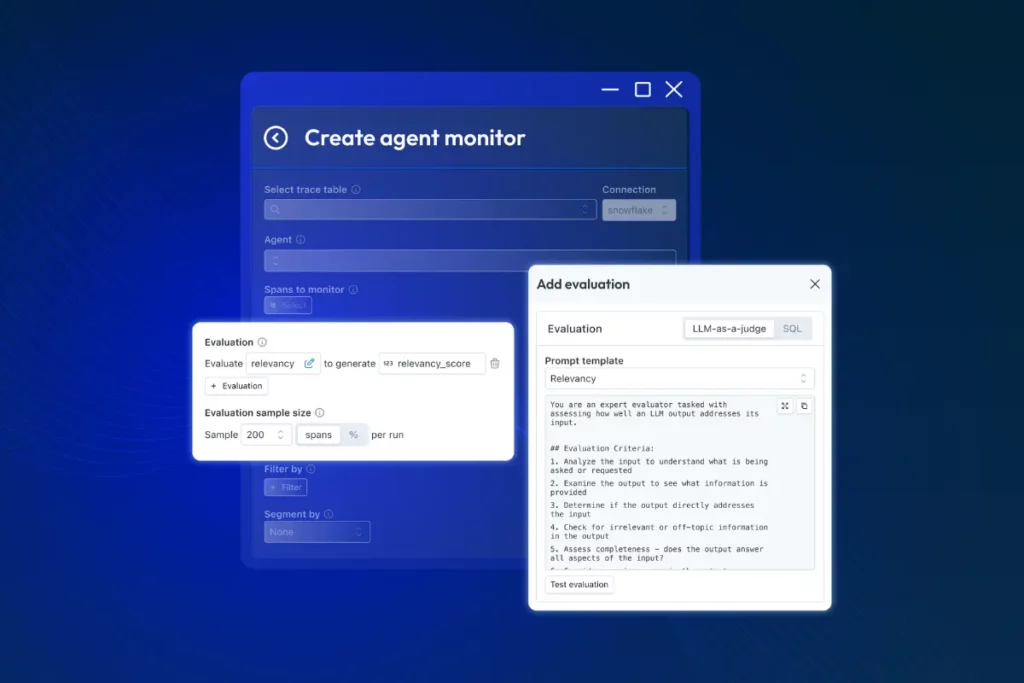
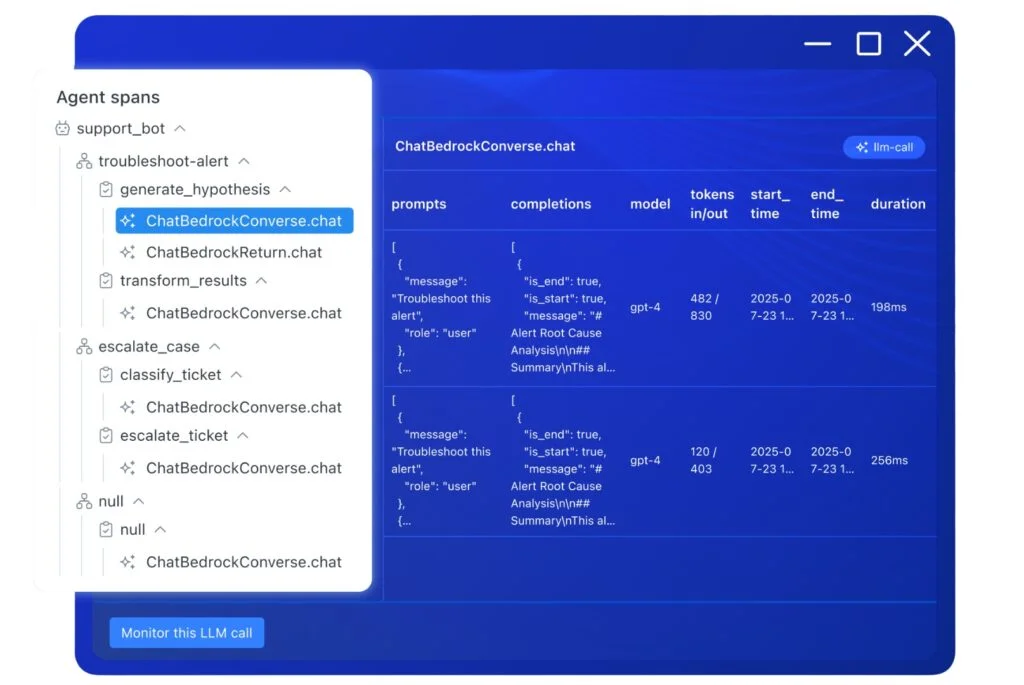
Agent Health is Monte Carlo’s automated monitoring layer for AI agents. Rather than waiting for something to visibly break, it continuously analyzes agent traces and surfaces prioritized, evidence-backed issues – complete with a recommended fix and the reasoning behind it. This includes insights into model usage, cost efficiency, tool-cycling behavior, error patterns, and more.
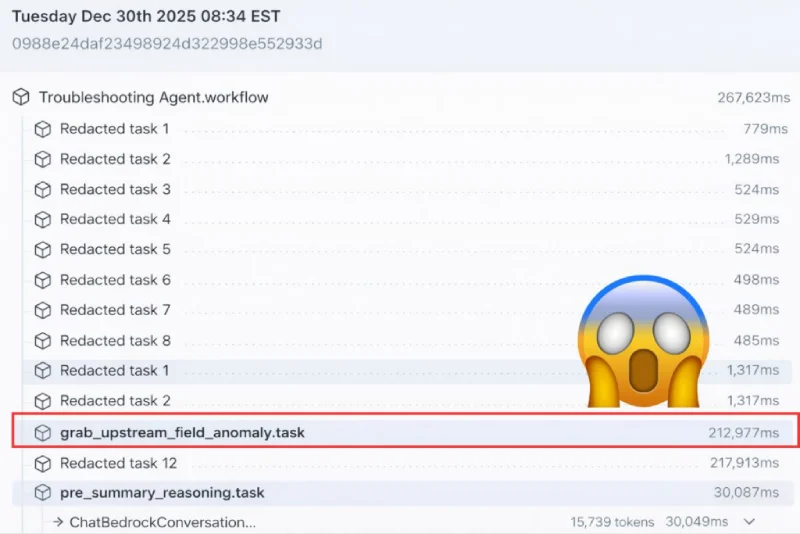
Recently, Agent Health helped us catch an issue with the Troubleshooting Agent, one of our core platform agents whose job is to automatically investigate and identify the root cause of data and AI incidents by fanning out hundreds of parallel subagents to test hypotheses.
The Troubleshooting Agent evaluates pipeline failures, recent code modifications, data lineage, and LLM behavior to surface the exact reason an error occurred. It also offers suggested remediation steps.
We actually run the Troubleshooting Agent continuously within the Monte Carlo platform itself to diagnose and resolve issues within our products.
Under the hood of the platform, the Troubleshooting Agent handles real workflows, gets called at scale, and produces outputs that our engineering teams use to iterate and improve upon our features.
Nothing is foolproof, however, and, like any software platform, we discover and debug issues. Luckily, Agent Health was there to spot a problem with the Troubleshooting Agent before it escalated.
The silent Troubleshooting Agent issue that surfaced
We ran Agent Health on the Troubleshooting Agent to preemptively scan for issues that were not surfacing as true “errors” or “failures” – the silent kind of problems that are notorious in agentic systems.
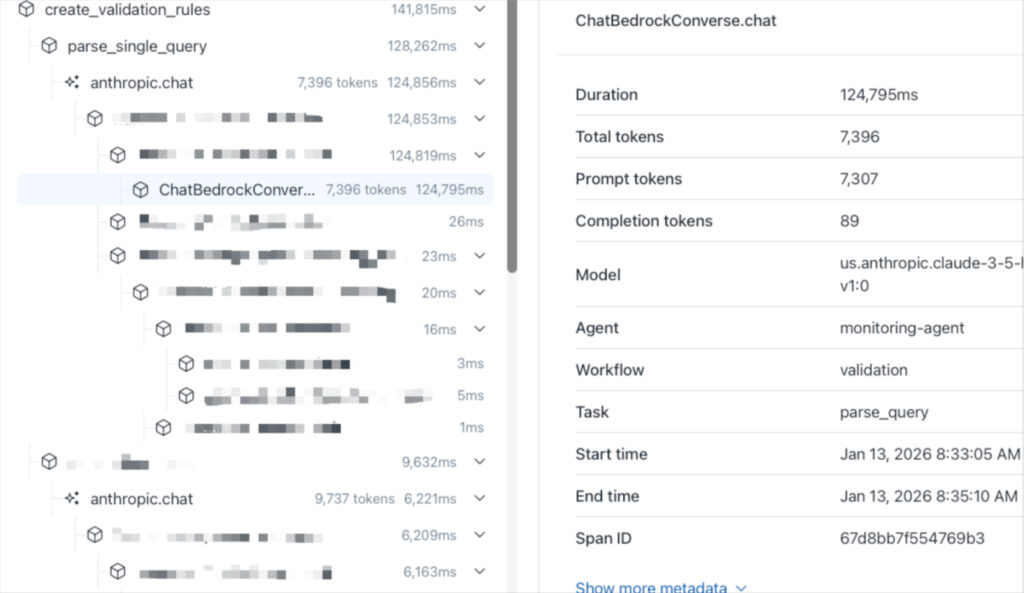
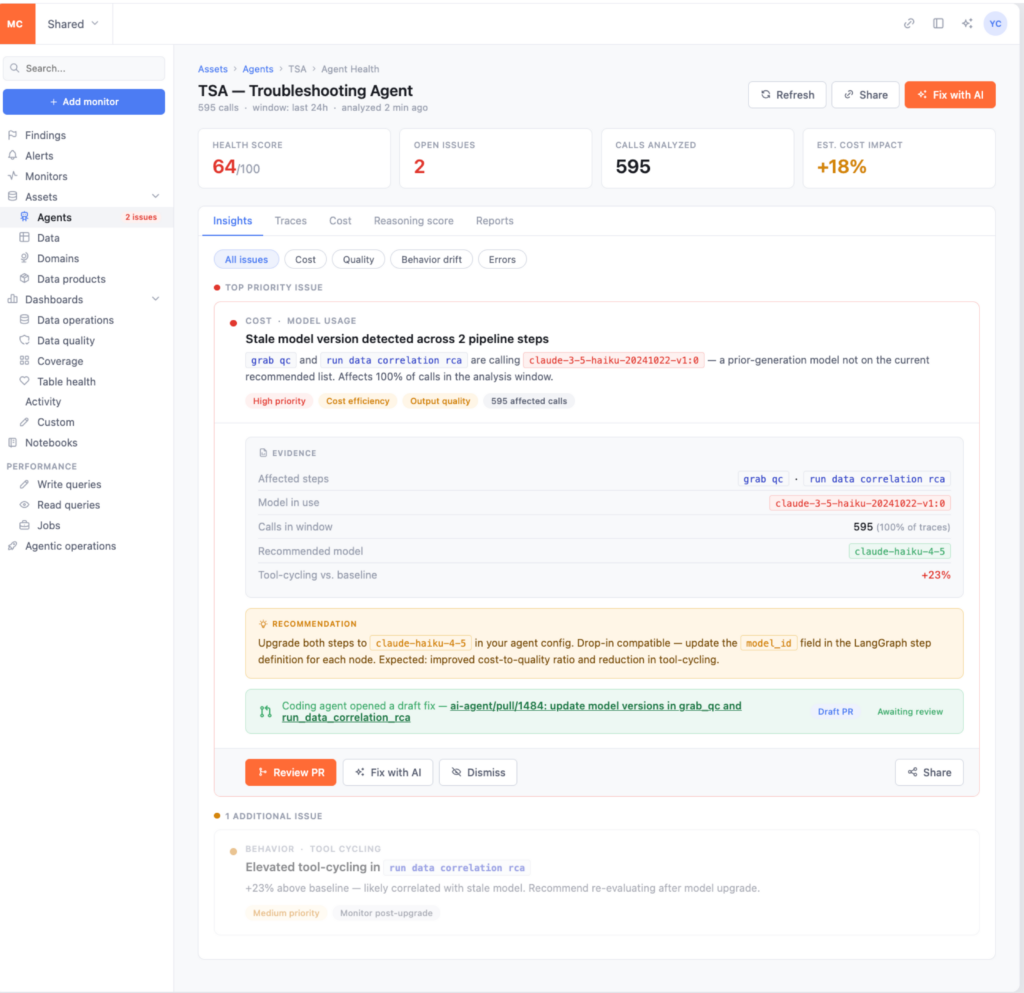
It surfaced something meaningful: the Troubleshooting Agent was calling an older LLM model version in two of its steps that was not keeping pace with updates across the rest of the agentic stack.
The two pipeline steps were calling an older Anthropic Haiku model version (us.anthropic.claude-3-5-haiku-20241022-v1:0) across 595 calls per window.
There was no error, alert, or other obvious signal to tell the team that something was wrong – as is often the case when agents run sub-optimally. The calls were completing and the outputs were fine, but every one of those 595 calls was running on a model that wasn’t current — meaning we were leaving both cost efficiency and output quality on the table, at scale, invisibly.
This is one of the more difficult yet insidious parts of monitoring agent operations; the configuration drift that doesn’t break anything, but quietly degrades the performance of your systems over time. An outdated model version, a prompt that was written months ago and is no longer relevant, or a tool invocation pattern that made sense at launch but has become inefficient as your agent architecture evolved.
None of this shows up in error logs, yet it has significant implications for the overall health, performance, and efficiency of your data and AI system.
The fix that Agent Health recommended
The core value of Agent Health is its proactive nature. Rather than waiting for something to visibly break, it continuously analyzes agent traces and surfaces prioritized, evidence-backed issues — complete with a recommended fix and the reasoning behind it.
When we ran Agent Health on the Troubleshooting Agent, it surfaced the stale model insight immediately because it’s constantly analyzing the full picture of how your agent is behaving across every call, not just failing ones.
The finding came with a concrete recommendation from Agent Health to upgrade both of the two agent steps to claude-haiku-4-5, with the exact config reference and a payoff explanation — better cost-to-quality ratio and reduced tool-cycling.
The insight was always technically available in the traces if someone were to look manually. But, prior to running Agent Health, there was nothing proactively surfacing this information and connecting it to an actionable recommendation. It was a missed opportunity.
That last part is important because it speaks to a very familiar issue in data and AI engineering. “The data was available” is true of almost every operational problem teams miss, but who is actually able to surface and make sense of it? The true gap is being able to see a signal through the noise.
From insight to open PR, without writing a line of code
Once Agent Health surfaced the issue, the story didn’t stop at a dashboard notification.
Monte Carlo’s coding agent automatically opened a draft PR with the fix — navigating the codebase, applying the model version update to both affected steps, and opening it for human review.
The full path: surfaced insight → open PR, without a human having to write a single line of code.
This is the closed loop that Agent Health is designed to enable, and it is a clear representation of self-healing or self-optimization within agentic systems. This is the future of data and AI operations: the human stays in the loop at a critical decision point, but the cognitive overhead of finding the issue, understanding the fix, locating the right files, and making the change is handled automatically.
Continuously learning, improving, iterating
The honest reason we’re sharing an example where we caught something broken in our own system is that I think this is the most credible thing we can do.
There will always be configuration drift, model versions that fall behind, and other issues in a production agent that nobody is actively looking for. The question is whether you can proactively catch these problems before they have a real impact on your system.
That’s exactly what Agent Observability is built to do.
Want to see what Agent Health surfaces in your own agents? Schedule a demo or check out our documentation.