Five Ways a Member Services Agent Goes Wrong Without Throwing an Error
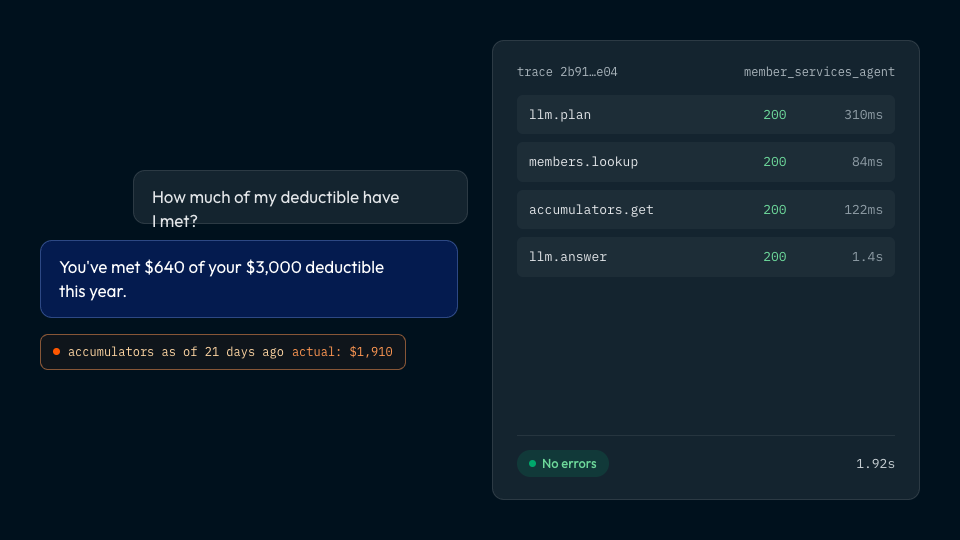
A member asks your agent how much of her deductible she’s met.
The agent checks, answers in two seconds, and the trace is clean. Every tool call returned a 200, latency was normal, and nothing threw an exception.
Except the number was three weeks old, and she finds out when the bill arrives.
Member services agents are among the first agents payers put in front of members, and members judge them on one thing: whether the answer was right.
Most monitoring checks something else, which is whether the agent ran. In Monte Carlo’s 2026 survey of 260 AI engineers, 52% said customer complaints are one of the main ways they find production issues. In member services, that complaint shows up as a call back, an escalation, or a grievance.
Here are five ways member services agents fail quietly, why your traces miss them, and what to watch instead.
1. It answers from last year’s plan
Benefits change every plan year. Copays move, formularies change, and plans get renamed. If the benefits table your agent reads missed the new plan year’s load, the agent quotes last year’s copay with complete confidence.
Why the trace looks fine:
The query succeeded and returned rows. They were the wrong rows.
What to watch:
Freshness on every table the agent reads, checked against when that data should change. A benefits table that hasn’t updated since mid-December should raise a flag on January 2.
2. It tells a covered member she isn’t covered
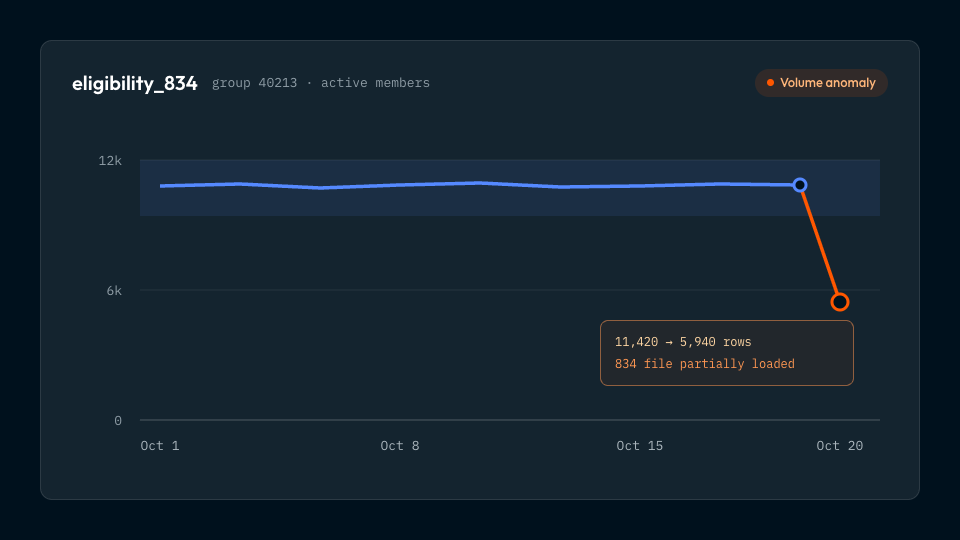
Eligibility usually arrives as hundreds of enrollment files from employer groups. When one lands half-loaded, a whole group’s members can drop out of the eligibility table overnight. The agent looks up a member, finds nothing, and tells her she has no active coverage.
Why the trace looks fine:
“No record found” is a valid response, and the agent handled it exactly as designed.
What to watch:
Volume. Track row counts by group and by day against what’s normal. A large employer group losing half its members overnight is almost never real attrition.
3. It reads the wrong plan’s documents
Your agent pulls answers from summaries of benefits and coverage, evidence of coverage documents, and plan FAQs. Plans that share a name across states or metal tiers look nearly identical to a retrieval system. So the agent answers a Silver member from the Gold document, or a Texas member from the Ohio version.
Why the trace looks fine:
Retrieval returned relevant-looking documents with high similarity scores. The answer reads well and cites a source. It cites the wrong one.
What to watch:
The context, before the answer. Check that every retrieved document matches the member’s plan ID, state, and plan year before the agent uses it.
4. It skips the tool it was supposed to call
A claim status question should send the agent to the claims system. Sometimes it answers from a cached FAQ or an earlier turn instead: “Claims usually process within 30 days.” That’s true in general and useless to a member whose claim was denied yesterday.
Why the trace looks fine:
Fewer tool calls can even look like an efficiency win. Nothing failed because nothing ran.
What to watch:
Agent’s behavior. Compare which tools the agent called, and in what order, to what the question required. A claim status answer that never touched the claims tool is a failed answer, however good the text sounds.
5. It shows a member data she shouldn’t see
Family plans make this one easy to miss. A subscriber asks about “my claims,” and the agent joins on the subscriber ID and returns claims for an adult dependent on the same plan. The data is accurate. It just went to the wrong person.
Why the trace looks fine:
The agent had permission to read the table, and the query worked. Nothing in the trace knows your privacy rules about adult dependents.
What to watch:
Which sensitive tables each agent touches, and whether it should. In the same Monte Carlo survey, 63% of engineers who deployed agents quickly found an agent accessing data or systems they didn’t know about.
Why these slip past
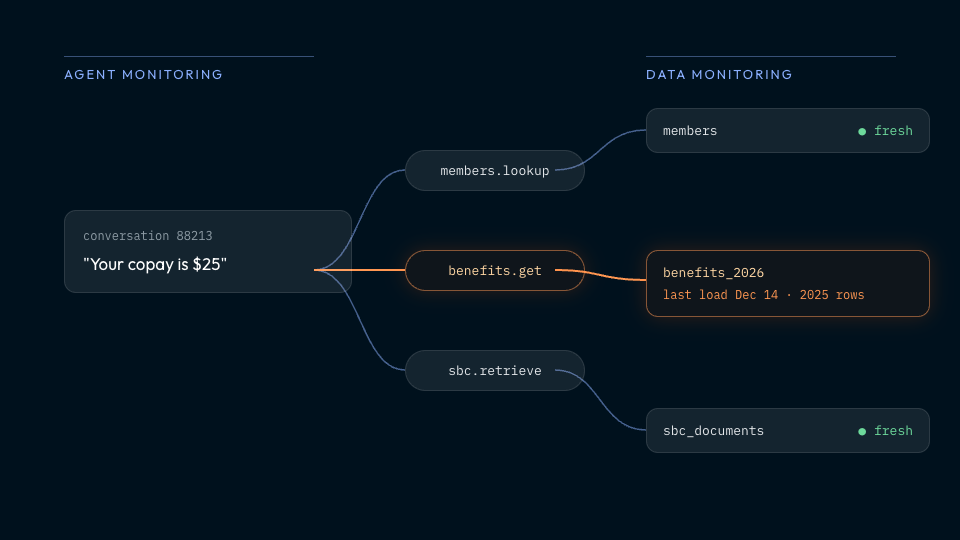
In all five, the agent did what it was built to do.
The failure lived in a table it read, a document it retrieved, or a judgment no trace records.
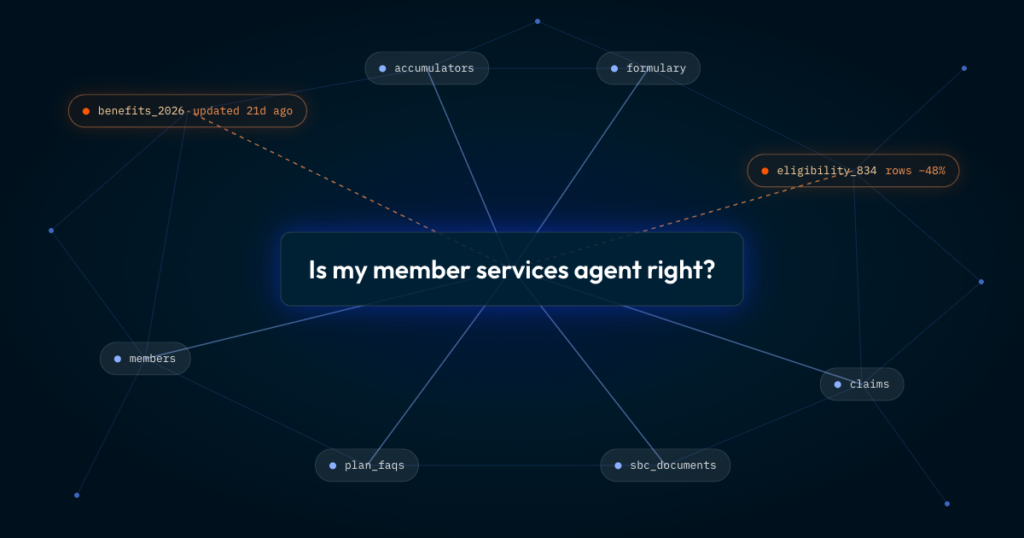
Agent monitoring sees the call, and data monitoring sees the table, yet neither connects this answer, for this member, to the broken table behind it.
Catching these failures means watching the agent and its data together, on every conversation. You need to know whether the context was fresh, complete, and for the right plan. You need to know whether the agent called the right tools and stayed inside the data it should touch. And you need to know whether the answer matched what the source data actually says.
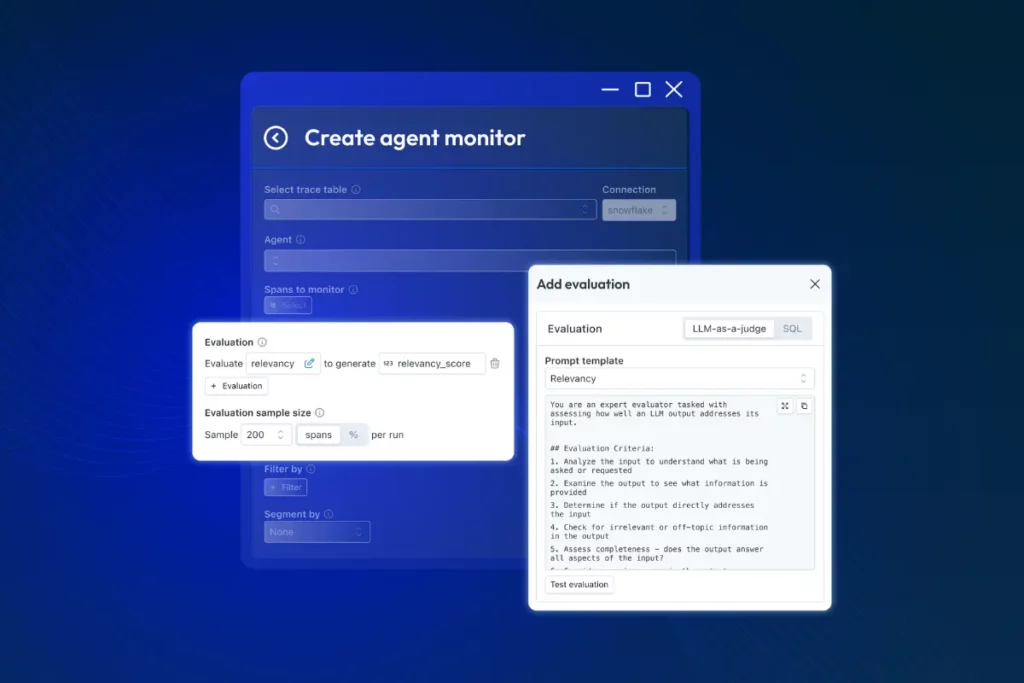
Monte Carlo is the agent trust platform built for exactly this. It monitors your agents and the data they read in one place, with lineage from each answer back through the tools and tables behind it.
Validation monitors run on every trace, and Monte Carlo flags agents reaching sensitive data they shouldn’t. When an answer goes wrong, your team sees which table, document, or step caused it before the member calls back.
See how Monte Carlo monitors member services agents on your own data.